iOS 26.4 Liquid Glass Settings: How to Reduce Brightness and Motion Easily
Published: 29 Mar 2026
By: MPG News
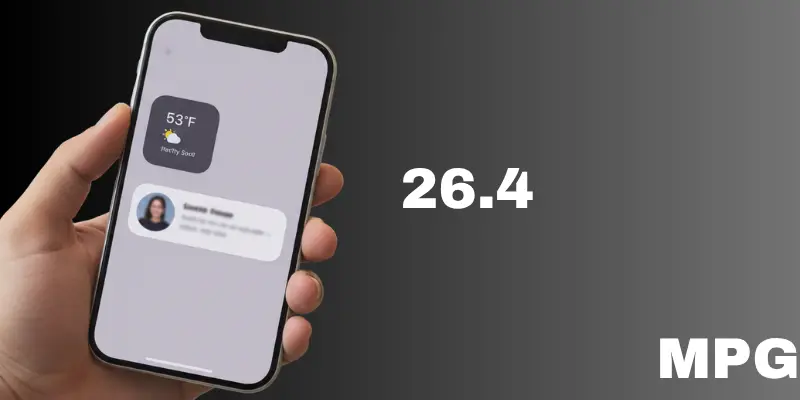
iOS 26.4 brings a useful update for users who find the new design overwhelming. The Liquid Glass style looks modern, but it can feel bright and distracting during daily use.
Have you ever felt that your iPhone screen is too flashy?
Now you have a solution. The new iOS 26.4 Liquid Glass settings help you control brightness and motion without changing the full design.
What’s New in iOS 26.4?
Apple added two helpful controls:
- Reduce Bright Effects
- Improved Reduce Motion
These settings focus on comfort. They reduce strong flashes and smooth out extra movement.
Think of it like dimming lights in a room. Everything stays the same, but it feels more comfortable.
Reduce Bright Effects (New Feature)
This is a new option in iOS 26.4 Liquid Glass settings.
What it does:
- Reduces bright flashes on taps
- Softens highlight effects
- Makes the screen easier on the eyes
How to turn it on:
- Open Settings
- Tap Accessibility
- Go to Display & Text Size
- Turn on Reduce Bright Effects
Real-life example:
If you use your phone at night, bright flashes can hurt your eyes. This setting makes those flashes softer and more comfortable.
Improved Reduce Motion
This feature existed before, but now it works better with Liquid Glass.
What it does:
- Reduces animations
- Controls screen movement
- Makes the interface stable
How to enable it:
- Open Settings
- Tap Accessibility
- Go to Motion
- Turn on Reduce Motion
Why it helps:
Too much movement can feel distracting. This setting makes your phone easier to use, especially for long sessions.
Use Both Settings Together
For best results, use both options.
- Reduce Bright Effects → less brightness
- Reduce Motion → less movement
Together, they create a calm and smooth experience.
Why These Settings Matter
The new iOS 26.4 Liquid Glass settings improve more than just design.
Benefits:
- Less eye strain
- Better focus
- Comfortable daily use
- Helpful for sensitive users
For example, if you scroll social media for hours, a calmer screen helps reduce fatigue.
Final Thoughts
iOS 26.4 makes Liquid Glass easier to handle. It does not remove the design, but it gives you control.
These small changes can greatly improve your daily experience.
Quick question:
Will you try these iOS 26.4 Liquid Glass settings on your iPhone?



- Be Respectful
- Stay Relevant
- Stay Positive
- True Feedback
- Encourage Discussion
- Avoid Spamming
- No Fake News
- Don't Copy-Paste
- No Personal Attacks
- Be Respectful
- Stay Relevant
- Stay Positive
- True Feedback
- Encourage Discussion
- Avoid Spamming
- No Fake News
- Don't Copy-Paste
- No Personal Attacks
