What is bluetooth in a mobile phone
Published: 8 Jan 2026
Have you ever wondered how your mobile phone connects wirelessly to speakers, headphones, or even your car? It can be confusing with all the different technology terms out there. Don’t worry-we’re here to clear things up. In this guide, we’ll explore Bluetooth in mobile phones, showing you how it works and what it can do. By the end, you’ll have a clear understanding of why Bluetooth is an essential feature on your phone.
What is Bluetooth?
Bluetooth is a wireless technology that allows devices to communicate over short distances without needing physical cables. It’s widely used in modern smartphones to connect with accessories and share data. By using Bluetooth, you can easily link your phone with things like speakers, headphones, and even other phones.
Importance of Bluetooth in Modern Smartphones
Bluetooth is a key feature in today’s smartphones, providing convenience and functionality for many tasks. From connecting to wireless accessories to transferring files, Bluetooth enhances the user experience by making connections quick and easy.
- Wireless Connectivity: Bluetooth lets you connect your phone to headphones, speakers, and other devices without using cables.
- Battery Efficiency: Bluetooth uses very little power, especially in newer versions, which helps conserve your phone’s battery.
- Simplified Pairing: Setting up a Bluetooth connection is simple and doesn’t require complicated setup procedures.
How it Impacts Everyday Use
Bluetooth plays an important role in making daily activities smoother and more convenient. Whether you’re making hands-free calls or streaming music, Bluetooth ensures that your phone can easily interact with many other devices in your life.
- Music and Entertainment: You can stream music from your phone to Bluetooth speakers or wireless headphones.
- Hands-Free Communication: Bluetooth allows you to make and receive calls using wireless headsets or car kits.
- Data Sharing: Bluetooth lets you share files quickly between devices, such as photos, contacts, or documents.
How Does Bluetooth Work in a Mobile Phone?
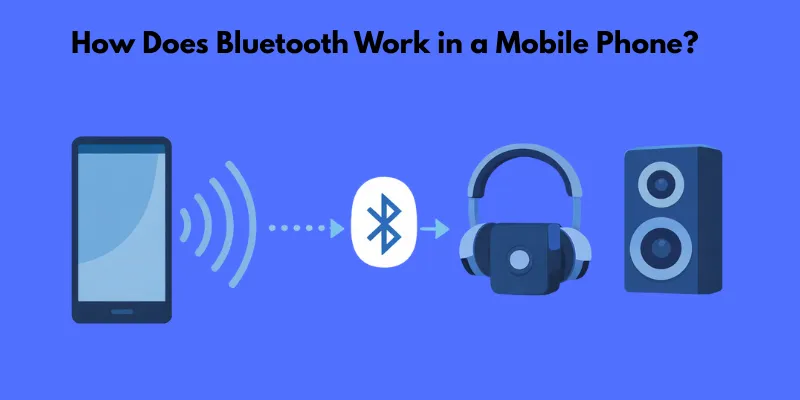
Bluetooth works by allowing mobile phones to communicate wirelessly with other Bluetooth-enabled devices. It uses short-range radio waves to connect devices, making it possible to transfer data, stream music, and perform other tasks without physical cables.
Basic Functionality of Bluetooth
Bluetooth relies on a technology that uses low-power radio signals to send and receive data over short distances. It connects devices directly, enabling them to work together, such as playing music from your phone to a Bluetooth speaker or making hands-free calls.
- Low Power Consumption: Bluetooth uses minimal energy, making it ideal for portable devices.
- Simple Connection: No need for complex setup; just pair devices and start using them.
- Secure Communication: Data is encrypted, ensuring privacy and security during transfers.
Overview of Wireless Communication
Bluetooth falls under the category of wireless communication, which means it doesn’t need cables to send or receive data. Instead, it uses radio frequencies to create a short-range network between devices, which is perfect for connecting things like headphones, smartwatches, and other accessories.
- No Wires Needed: Bluetooth makes it possible to connect devices without physical cables.
- Quick Pairing: Devices can pair quickly without complicated steps.
- Short-Range Communication: Bluetooth works best within a range of 30 feet (10 meters) for most devices.
Pairing Devices via Bluetooth
Pairing is the process of connecting your mobile phone to another Bluetooth device. Once paired, the two devices can communicate freely within their range. Here’s how Bluetooth connects devices:
- Step 1: Turn on Bluetooth on your phone and the device you want to connect to.
- Step 2: Search for available devices on your phone.
- Step 3: Select the device you want to pair with and confirm the connection.
- Step 4: Once paired, your phone will remember the device for future connections.
- Easy Setup: Pairing is simple and quick, usually requiring just a few steps.
- One-Time Connection: After pairing once, devices can automatically connect in the future.
- Device Compatibility: Most modern devices support Bluetooth, ensuring broad compatibility.
Range and Speed of Bluetooth
Bluetooth devices have a limited range and speed. The typical Bluetooth range is around 30 feet (10 meters), but this can vary depending on the Bluetooth version. Speed is also limited, with newer versions offering faster data transfer.
- Typical Range: Bluetooth typically works within a range of 30 feet, though some devices may have a greater range.
- Speed: Bluetooth speeds vary, with newer versions allowing faster data transfer.
- Obstacles: Walls and other objects can reduce Bluetooth’s effective range.
Bluetooth Versions and Their Impact
Bluetooth has gone through several versions, each improving upon the previous one in terms of range, speed, and power efficiency. Here’s a quick comparison of popular versions:
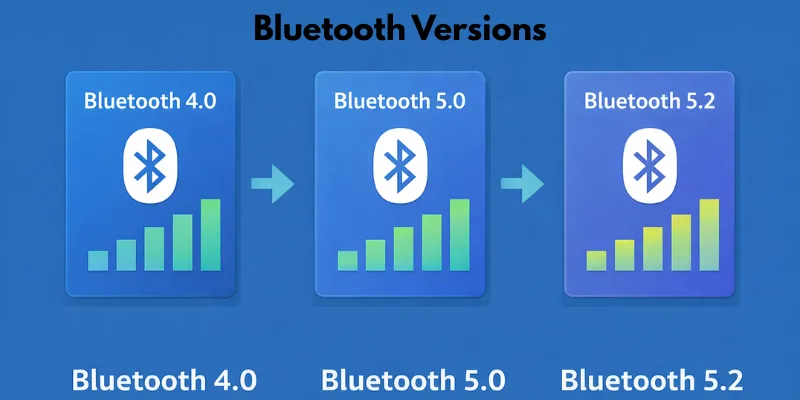
- Bluetooth 4.0: Introduced Bluetooth Low Energy (BLE), ideal for battery-saving devices.
- Bluetooth 5.0: Improved range and data transfer speeds, offering up to 4 times the range of 4.0.
- Bluetooth 5.2: Introduced better support for audio, including features like LE Audio and enhanced device control.
- Range and Speed Improvement: Newer versions offer greater range and faster data transfer.
- Power Efficiency: Each version improves energy consumption, especially Bluetooth Low Energy (BLE).
- Better Audio Support: Later versions provide enhanced audio quality, especially in Bluetooth headsets and speakers.
What Devices Can You Connect with Bluetooth on Your Mobile Phone?
Bluetooth makes it easy to connect your mobile phone to a variety of devices, improving your experience with music, communication, and everyday tasks. From wireless headphones to smartwatches, Bluetooth opens up a world of possibilities for your phone.
Common Bluetooth Devices
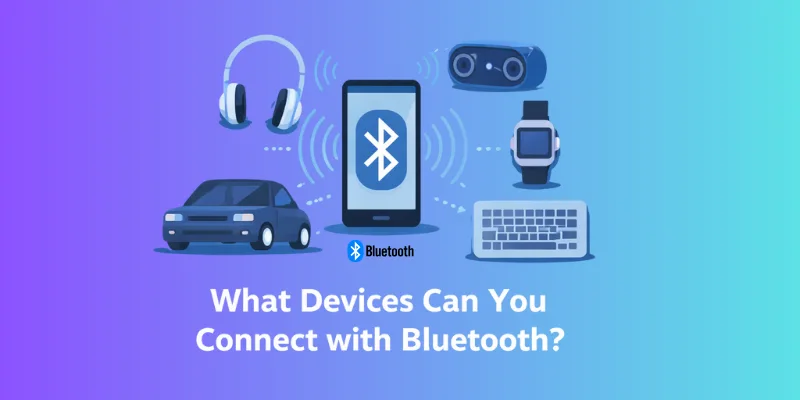
Bluetooth can connect your phone to many different devices. Here are some of the most common ones:
- Headphones and Earphones: You can easily connect your phone to wireless headphones or earphones for a tangle-free listening experience.
- Speakers: Stream music or podcasts from your phone to Bluetooth speakers, making it easy to enjoy sound anywhere.
- Smartwatches: Sync your phone with Bluetooth-enabled smartwatches to track fitness, receive notifications, and more.
- Fitness Devices: Connect to Bluetooth-enabled fitness trackers to monitor your health data in real-time.
- Easy Audio Sharing: You can wirelessly share music or videos with Bluetooth speakers and headphones.
- Hands-Free Calls: Wireless earphones or headsets allow you to make calls without holding your phone.
- Fitness Tracking: Smartwatches and fitness bands track steps, heart rate, and more when synced via Bluetooth.
Connecting to Car Systems and Other External Devices
Bluetooth is also commonly used to connect your phone to car systems and other external devices, making your mobile experience even more versatile. Here’s how Bluetooth works with these devices:
- Car Infotainment Systems: Bluetooth allows you to pair your phone with your car’s infotainment system, enabling hands-free calls, music streaming, and navigation.
- Printers: You can connect your phone to a Bluetooth-enabled printer to print photos, documents, or boarding passes without the need for cables.
- Game Controllers: Connect Bluetooth game controllers to your phone for a better gaming experience.
- Seamless Car Connectivity: Bluetooth lets you control your phone’s music and calls while driving, keeping you safe.
- Wireless Printing: Print documents and images without using a computer or USB cable.
- Gaming Made Easy: Enjoy console-like gaming with Bluetooth controllers paired to your mobile phone.
Different Bluetooth Profiles Explained
Bluetooth profiles are specific standards that define the ways in which Bluetooth devices communicate with each other. Each profile is designed for a particular function, such as streaming audio, making hands-free calls, or controlling devices. Understanding these profiles helps you see how Bluetooth works for different tasks.
A2DP (Advanced Audio Distribution Profile)
A2DP is used for streaming high-quality audio from one device to another over Bluetooth. It’s commonly found in Bluetooth headphones, speakers, and car audio systems. With A2DP, you can enjoy music or podcasts from your phone without any wires.
- Streaming Music: A2DP allows you to stream music or audio to Bluetooth speakers or headphones.
- High-Quality Sound: This profile supports high-quality stereo sound for a better listening experience.
- Wireless Convenience: You can listen to audio wirelessly, whether you’re at home, in the car, or on the go.
HFP (Hands-Free Profile) and HSP (Headset Profile)
Both HFP and HSP are used for communication devices, such as Bluetooth headsets, car systems, and smartwatches. They help you make and receive calls without holding your phone.
- HFP (Hands-Free Profile): This profile allows hands-free calling through Bluetooth-enabled devices like car kits or headsets. You can make and receive calls, control the volume, and even redial numbers without touching your phone.
- HSP (Headset Profile): HSP is primarily used for connecting Bluetooth headsets to mobile phones. It allows you to talk on the phone and listen to the call through the headset.
- Safe Driving: HFP allows you to make calls hands-free while driving, keeping you focused on the road.
- Clear Calls: Both profiles ensure good audio quality for phone calls through Bluetooth devices.
- Convenience: With HFP and HSP, you don’t need to hold your phone, making communication much easier.
Other Bluetooth Profiles
There are several other Bluetooth profiles, each designed for specific uses. Here’s a brief look at some of them:
- AVRCP (Audio/Video Remote Control Profile): This profile allows you to control media playback, such as play, pause, and skip tracks, on Bluetooth devices like speakers or car systems.
- PAN (Personal Area Network Profile): PAN is used to connect devices like smartphones and laptops to create a small network for sharing data and internet connections.
- HID (Human Interface Device Profile): HID allows you to connect input devices, such as Bluetooth keyboards, mice, and game controllers, to your phone or tablet.
- Media Control: AVRCP lets you control music or video playback on other Bluetooth devices.
- Data Sharing: PAN makes it easy to share internet connections and data between multiple Bluetooth devices.
- Wireless Input: HID allows you to use Bluetooth devices like a keyboard or mouse wirelessly with your phone or tablet.
Benefits of Using Bluetooth in Mobile Phones
Bluetooth offers several advantages that make it an essential feature in modern mobile phones. From the convenience of wireless connections to energy efficiency, here’s how Bluetooth enhances the mobile experience.
Wireless Convenience
One of the biggest benefits of Bluetooth is the ability to connect devices wirelessly. This means you can connect your mobile phone to headphones, speakers, or even your car system without worrying about tangled cables.
- No Cables Needed: You can enjoy music, make calls, or transfer data without the hassle of cords.
- More Flexibility: Bluetooth allows you to move freely while using your phone with other devices.
- Easier Connections: Pairing Bluetooth devices is simple and fast, making it easy to switch between different devices.
Low Energy Consumption (BLE)
Bluetooth Low Energy (BLE) is designed to use very little power, which helps conserve your phone’s battery life. BLE is perfect for devices that need to stay connected for long periods, like fitness trackers or smartwatches.
- Efficient Power Use: BLE is optimized to reduce battery drain, even when devices are connected for hours.
- Extended Battery Life: Devices like Bluetooth fitness trackers can work for days without needing a recharge.
- Better for Portable Devices: BLE helps your phone stay charged longer while keeping connected to other Bluetooth devices.
Security Features of Bluetooth
Bluetooth has built-in security features that help protect your data during pairing and communication. These features ensure that your devices connect safely and that your data remains private.
- Encryption: Bluetooth uses encryption to protect the data being transferred between devices.
- Pairing Protection: When pairing a new device, Bluetooth requires a PIN or passcode, adding an extra layer of security.
- Limited Range: Since Bluetooth works over short distances, it makes it harder for unauthorized devices to connect.
Common Issues with Bluetooth and How to Fix Them
Bluetooth is a great tool, but sometimes you may face issues when connecting devices. Whether it’s trouble pairing devices or dealing with interference, here are some common problems and how to fix them.
Pairing Problems and Connectivity Issues
One of the most common issues with Bluetooth is difficulty pairing devices or maintaining a stable connection. This can happen for several reasons, such as outdated software or conflicting devices.
Tips for Troubleshooting Connection Failures:
- Check Bluetooth is Enabled: Ensure Bluetooth is turned on for both devices you’re trying to connect.
- Restart Devices: Turn off Bluetooth on both devices, wait a few seconds, and then turn it back on.
- Update Software: Make sure both devices have the latest software or firmware updates installed.
- Forget and Re-pair: On your phone, forget the device you’re trying to connect to, then try pairing again.
Interference and Range Problems
Bluetooth can experience interference from other devices or obstacles, which can affect its performance. Other wireless devices, like Wi-Fi routers, microwaves, or even walls, can reduce Bluetooth’s range or cause a weak connection.
How to Deal with Obstacles and Interference:
- Move Closer: Try moving the devices closer to each other to improve the connection.
- Avoid Obstacles: Keep the devices in line of sight, as walls and large objects can block the Bluetooth signal.
- Turn Off Other Wireless Devices: If you have many devices using the same frequency (2.4 GHz), try turning off some of them to reduce interference.
Fixing Bluetooth Not Working
When Bluetooth stops working, it can be frustrating. But there are a few simple steps to troubleshoot and fix the issue.
Step-by-Step Guide to Resolve Common Issues:
- Step 1: Restart Your Phone and Bluetooth Device: Often, restarting both devices can resolve temporary issues.
- Step 2: Reset Network Settings: If restarting doesn’t help, try resetting your phone’s network settings. This will clear Bluetooth and Wi-Fi settings and might fix the issue.
- Step 3: Clear Bluetooth Cache: On Android, go to settings, find Bluetooth in apps, and clear the cache.
- Step 4: Check for Updates: Make sure your phone’s operating system and Bluetooth drivers are up to date.
Bluetooth vs. Other Wireless Technologies
Bluetooth is just one of many wireless technologies used in today’s devices. While each has its strengths, they all serve different purposes. Here’s how Bluetooth compares with Wi-Fi, NFC, and AirDrop for various tasks.
Wi-Fi vs. Bluetooth
Wi-Fi and Bluetooth are both wireless communication methods, but they have different strengths and use cases.
- Wi-Fi is great for connecting to the internet and transferring large amounts of data. It offers faster speeds and can cover a wider range (like your whole house or office).
- Bluetooth is better for short-range, low-power connections. It’s used for things like connecting headphones or speakers to your phone, or transferring small files between devices.
Differences in Use Cases
- Data Transfer: Bluetooth is perfect for quick, small file transfers, like sending a picture or song. Wi-Fi is better when you need to transfer large files or stream video.
- Internet Connection: Wi-Fi is the go-to choice for connecting to the internet, as it provides faster speeds and can handle more devices at once.
NFC (Near Field Communication) vs. Bluetooth
NFC and Bluetooth are both wireless technologies, but they are used for different situations.
- NFC works at a very short range, often just a few centimeters. It’s great for quick actions like tapping your phone to pay with Google Pay or Apple Pay.
- Bluetooth, on the other hand, works at a longer range and is used for connecting devices like wireless headphones or sharing files.
Comparing NFC and Bluetooth
- Speed: NFC is very quick, but Bluetooth can transfer larger amounts of data.
- Range: NFC has a shorter range (just a few centimeters), while Bluetooth can work over distances of up to 100 meters.
AirDrop (Apple) and Bluetooth
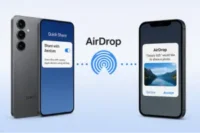
AirDrop is a feature from Apple that allows you to share files between Apple devices. It uses both Bluetooth and Wi-Fi to transfer files quickly and easily.
- Bluetooth is used to create the initial connection between devices.
- Wi-Fi helps with the actual transfer of the file, allowing it to move faster than Bluetooth alone.
How Bluetooth Works Alongside Other Technologies for File Sharing
Bluetooth works well with other technologies to help share files between devices. For example:
- When you use AirDrop, Bluetooth helps to pair devices, while Wi-Fi handles the heavy lifting of transferring files quickly.
- In some cases, Bluetooth may be used to connect to devices, and then Wi-Fi can take over for faster file transfer.
The Future of Bluetooth in Mobile Phones
Bluetooth technology continues to evolve, bringing exciting new features and possibilities. Let’s take a look at the future of Bluetooth in mobile phones and what we can expect next.
Advancements in Bluetooth Technology
Bluetooth is improving all the time. With each new version, it becomes faster, more efficient, and better at connecting devices. These advancements make it easier for mobile phones to communicate with more devices in various ways.
- Bluetooth 5.2: This is the latest version of Bluetooth. It brings some exciting new features, like improved audio quality for wireless headphones and better support for multiple devices at once. Bluetooth 5.2 also includes a feature called LE Audio, which will make it easier to connect multiple audio devices, like speakers or headphones, to one phone.
- Longer Range: Bluetooth 5.2 improves range, meaning your devices can stay connected from further away. This is great for things like connecting to car systems or smart home devices without losing the signal.
Latest Trends like Bluetooth 5.2 and Upcoming Features
Bluetooth 5.2 is just the beginning. The future holds even more exciting updates, such as:
- Better Audio Quality: New features like LE Audio will make Bluetooth audio even better, with higher sound quality and lower latency.
- More Efficient Power Use: Bluetooth will keep getting better at using less power, which means longer battery life for your phone and connected devices.
- Faster Data Transfer: Future versions of Bluetooth will be able to transfer files faster, making it easier to share large files between devices.
The Role of Bluetooth in the IoT (Internet of Things)
Bluetooth is becoming a key part of the Internet of Things (IoT). The IoT is a network of smart devices that can communicate with each other, like smart lights, thermostats, and security cameras. Bluetooth helps these devices connect and work together.
- Smart Homes: Bluetooth is used in smart home devices, such as lights, locks, and security systems. You can control these devices with your phone, making your home smarter and more convenient.
- Wearables: Bluetooth is also essential for wearables like fitness trackers, smartwatches, and health devices. These devices use Bluetooth to sync data with your phone, helping you track your health and fitness goals.
Bluetooth’s Growing Presence in Smart Homes, Wearables, and More
Bluetooth is playing a larger role in smart homes and wearables. Here’s how:
- Smart Homes: Bluetooth-enabled devices make it easier to control your home with your phone. You can adjust your thermostat, turn off lights, or lock doors without leaving your couch.
- Wearables: Many fitness trackers and smartwatches rely on Bluetooth to connect to your phone and share data. This lets you keep track of your health on the go.
- Other Devices: Bluetooth is also expanding into other areas, like smart TVs and automotive systems, making it easier to connect your phone to a wide range of devices.
Conclusion
So guys, today we learned all about what is Bluetooth in mobile phone, how it works, and why it is so useful for connecting devices, sharing files, and staying linked with friends and family. Knowing what is Bluetooth in mobile phone helps you use your phone smarter and get the most out of this simple but powerful technology.
My recommendation: always keep Bluetooth secure and turn it off when not in use, so you enjoy its benefits safely. Understanding it well can make your daily life easier, faster, and more connected.
Keep exploring and stay curious, buddies—your phone has more hidden tricks than you think!
FAQs
Bluetooth is a way for your phone to connect with other devices without wires. You can use it to connect headphones, speakers, or other phones. It helps to share files or play music easily.
Bluetooth sends small signals between devices that are close to each other. First, the devices connect, which is called pairing. After that, they can share files, music, or other information.
Yes, Bluetooth is mostly safe. Only devices you connect with can share information. To be extra safe, turn off Bluetooth when you are not using it.
Bluetooth usually works up to about 10 meters (30 feet). Walls or obstacles can make it shorter. Within this distance, your phone can connect to devices easily.
Your phone might not find a device if Bluetooth is off on either side. Make sure both devices have Bluetooth on and are close to each other. Also, check if the other device is ready to connect.


- Be Respectful
- Stay Relevant
- Stay Positive
- True Feedback
- Encourage Discussion
- Avoid Spamming
- No Fake News
- Don't Copy-Paste
- No Personal Attacks
- Be Respectful
- Stay Relevant
- Stay Positive
- True Feedback
- Encourage Discussion
- Avoid Spamming
- No Fake News
- Don't Copy-Paste
- No Personal Attacks
