What is NFC on my phone? Simple Guide
Published: 28 Aug 2026
Do you see this NFC option on your phone and feel confused about what it does? You are not alone, and many people feel unsure at first. This feature sits quietly in settings, so it is normal to wonder if you even need it. In this guide, we will explain it simply and show how it works in daily life. We’ll show you how to find, turn on, and use the setting. You will also learn how people use it for payments, sharing files, and quick device connections. By the end, you will feel confident about what is NFC on my phone and how it fits into your daily routine.
What Does NFC Stand For?
NFC stands for Near Field Communication. It is a simple idea: two devices talk when they sit very close together. NFC grew out of an older tech called RFID (Radio Frequency Identification), the same tech used in store security tags. Engineers built on this idea in the early 2000s to make NFC — a faster, safer version made just for phones.
Today, NFC sits inside a tiny chip in your phone. It lets your phone act like a card, a key, or a ticket, all with one simple tap.
What Is NFC?
NFC on my phone lets me perform quick actions with a simple tap. It only works when the devices are very close to each other, within a few centimeters. You tap or hold your phone near another device, and it responds right away. For example, you can tap your phone on a store machine to pay in seconds. You can find NFC on your phone in the Settings menu. Do you want to start using it today?
What Can NFC Do?
NFC helps your phone do quick actions with a simple tap. It only works when devices are very close together, so it feels fast and safe. With NFC, your phone can pay in stores, share files, and connect to other devices without long steps. You do not need cables or extra apps for basic use. NFC on my phone makes daily tasks easier by saving time and effort. It is made for simple moments, like paying for coffee, sharing a contact, or connecting earbuds in seconds.
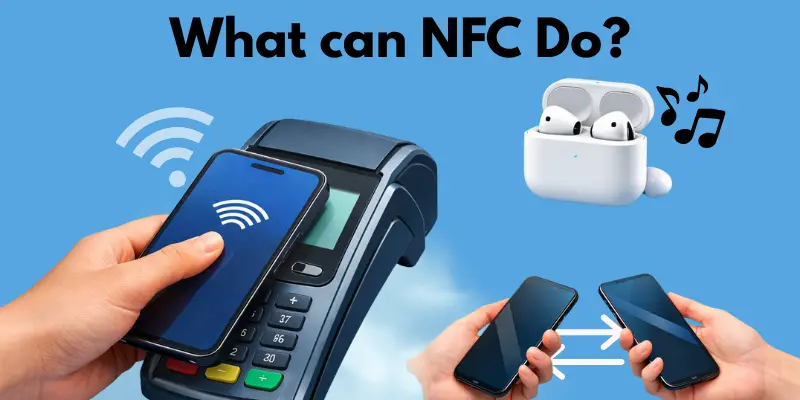
- Tap to pay in stores
- Share photos or contacts by tapping phones
- Connect earbuds or speakers fast
- Use travel cards (if your city supports it).
- Use NFC tags (small stickers that do actions).
- Open apps or links with a tap
Example: I tap my phone to pay for coffee, and I leave in seconds.
How Does NFC Work? (No Tech Jargon)
NFC on my phone, It works like a quick tap connection between my phone and another item. It only works when the devices are very close, within a few centimeters, so you need to bring them near each other.
You tap or hold your phone near a payment machine, a travel gate, earbuds, or a small tag. Then your phone quickly sends and receives small amounts of information. This information can help your phone pay, open a link, or connect to a device without long steps.
For example, in a store, you hold your phone near the card machine, and the payment goes through in seconds. To stay safe, keep a screen lock on and use only trusted apps for payments. Do you want to try using NFC the next time you shop?
What Can You Use NFC For? (Real-Life Uses)
This section explains how people use NFC in simple ways in daily life. You will see common tasks where NFC saves time and makes things simple to do. These examples help you decide if NFC is useful for you. NFC on my phone works best when the phone is very close to another device. Even a small gap can stop it from working, so closeness matters a lot.
Payments
Payments mean using your phone to pay with a tap instead of cash or cards. You see this in stores, cafés, and malls where tap-to-pay is available.
- Works when the phone is unlocked and tap-to-pay is set
- Fails if the screen is locked or the machine is not ready
- Tip: remove thick cases and keep a screen lock for safety.
File sharing
File sharing lets you send contacts, photos, or links with a tap. You can either tap two phones together or tap your phone against another supported device.
- This feature works only when both devices support tap sharing.
- Fails if sharing is off or phones move too fast
- Tip: keep phones still and very close
NFC tags
NFC tags are small stickers or cards that perform a single action when you tap them. For example, a tag can turn on Wi-Fi or open a website.
- Works when the tag is set up correctly
- Fails if the tag is empty or unreadable
- Tip: Tap the back of the phone directly on the tag.
Travel & access
Travel and access mean using taps for entry or travel. Some buses, metro gates, offices, and hotels support this.
- This feature works when the service permits tapping with a phone or card.
- Fails if the reader is down or too far
- Tip: tap slowly and keep the phone very close
ID Cards & Digital Passports
Did you know NFC can also help with your ID and travel documents? Many newer passports and ID cards carry a small NFC chip inside them.
What this means for you
- Airport scanners can read your passport chip with a quick tap or scan.
- Some countries let you verify your ID using your phone’s NFC reader.
- Digital ID apps can scan your physical ID card to confirm your identity online.
How it works in simple words
- Your passport or ID card has a tiny NFC chip inside the cover.
- A scanner or phone reads this chip when held close.
- The chip shares basic details, like your name and ID number, in a safe way.
Practical tips
- Keep your passport flat when a scanner reads it.
- Use official government apps only for ID scanning.
- Do not let unknown apps request access to your ID chip.
NFC vs Bluetooth vs QR Codes (Which One Should You Use?)
NFC on my phone, Bluetooth, and QR codes all help my phone connect, share, or pay. They make daily tasks faster and easier. Each one is best in a different case, so the right choice depends on what you want to do.
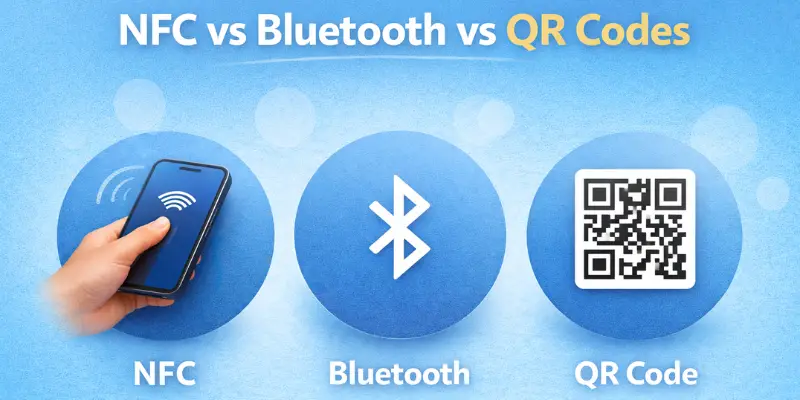
All three tools let phones talk to other devices in simple ways. NFC works with a tap. Bluetooth works over a short distance. QR codes work by scanning a picture. Knowing the difference helps you choose fast and avoid trouble.
- Use NFC for a quick tap with no setup.
- Use Bluetooth when you want to share files or play sound.
- Use a QR code to open a page or join Wi-Fi.
Real-life examples:
- In a store, you tap your phone to pay in just a few seconds.
- At home, you send music to a speaker or car with Bluetooth.
- In a café, you scan a QR code to open the menu or join Wi-Fi.
Common Problems:
- NFC can fail if the phone case is too thick or if NFC is off.
- Bluetooth can fail if devices do not pair.
- QR codes can fail if the camera is weak or the light is low.
Is NFC Safe to Use?
Yes, NFC is usually safe. NFC on my phone works only from a very close range. You must tap or hold your phone near a machine or tag. This short distance makes it safer than many people think, because it does not “reach out” across a room.
NFC cannot reach far. It cannot connect from across the street or from another table. It needs a tap or a very close hold to work. That means you stay in control as long as you unlock your phone and use the right apps.
- Use a screen lock like a PIN, face, or finger
- Use trusted payment apps only.
- Do not tap unknown tags in public.
- Turn NFC off if you do not use it.
- Keep your phone updated.
How to Turn NFC On (Android & iPhone)
NFC is a setting on your phone that you can turn on for tap features. NFC on my phone may look a little different based on the brand and model. The fastest way is to open Settings and search for “NFC.”
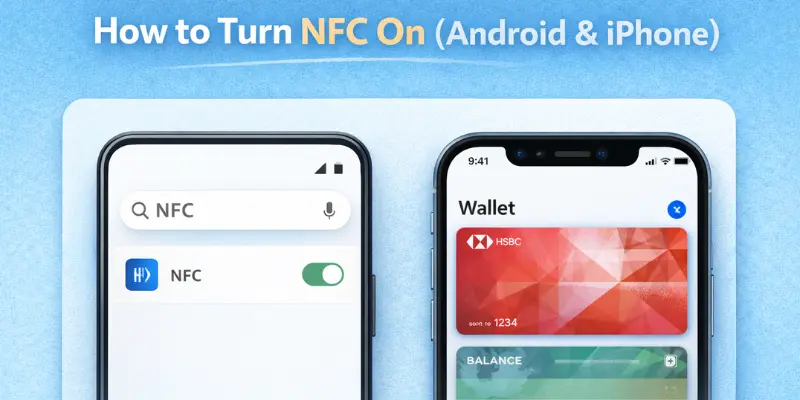
Android steps:
- Open Settings.
- Tap the Search bar in Settings.
- Type NFC.
- Tap NFC in the results.
- Turn it on.
Android steps (Quick Settings way):
- Swipe down from the top of the screen.
- Swipe down again to see more buttons.
- Look for an NFC button or tile.
- Tap it to turn NFC on.
Tip: If you do not see NFC in Settings or Quick Settings, your phone may not support it.
iphone steps:
- NFC is built in on many iPhones, so you may not see a simple on/off switch.
- For payments, open the Wallet app.
- Set up Apple Pay by adding your card.
- Follow the on-screen steps from your bank or card company.
- When you pay, double-press the side button, then hold your iPhone near the payment machine.
Tip: Make sure the wallet is set up and your card is ready for tap-to-pay.
Quick check: Try tap-to-pay in a store if you set it up. Or tap your phone on an NFC tag if you have one at home. You should feel a vibration or see a brief message.
Common NFC Problems (Quick Fixes)
If NFC is not working, do not worry. Most problems have quick fixes. This list helps you fix NFC on your phone step by step.
NFC option not showing in Settings
- Restart your phone
- Search “NFC” in Settings
- Update your phone software
- Your phone may not support NFC
NFC is on, but nothing happens when I tap
- Unlock your screen before tapping
- Turn NFC off and on again
- Remove thick or metal phone cases
- Try a different tap position
Tap-to-pay not working
- Check your wallet app settings
- Make sure your card is active
- Keep your phone unlocked while tapping
- Payment setup may need the internet
NFC tag not reading
- Clean the back or top of the phone
- Hold the phone still for two seconds
- Try another tag to confirm the issue
- Restart the phone and try again
Phone case or cover blocking NFC
- Remove thick or hard cases
- Avoid metal covers
- Test tapping with no case
Wrong tap spot on the phone
- Tap with the back of the phone
- Move the phone slowly
- Test the top, middle, and bottom areas
Battery saver mode is causing issues
- Turn battery saver off for a moment
- Restart the phone
- Turn NFC on again and test
Cards or tickets not working at travel gates
- Check if your city supports phone taps
- Try another gate or reader
- Keep your phone unlocked and very close
Files not sharing with NFC
- Use Nearby Share on Android
- Turn on bluetooth and Wi-Fi
- Use QR code sharing if needed
If nothing works, your phone may not support NFC.
Does NFC Drain Battery?
No, NFC does not drain battery in normal use. It uses very little power and stays inactive until you tap your phone. Most users never notice any change in battery life.
Why NFC Uses Little Battery
NFC stays idle in the background and wakes up only during a tap. It works for a few seconds and then stops again. This is why it has almost no effect on battery life.
- Works only when you tap
- Uses power for a short time
- Stops right after the task
When Battery Use Can Increase
Using NFC a lot in one day can make the battery last a little longer. This often occurs when individuals frequently make payments or scan tags. Even then, the battery life is still very short.
- Many tap-to-pay actions
- Repeated NFC tag scans
- Use with other apps
Should You keep the NFC On?
Most users can keep NFC on all the time without worry. It is safe for daily phone use and does not waste battery. Turning it off is a personal choice.
- Fine to keep on daily
- Safe for normal use
- Turn it off if you never use it.
Conclusion
We discussed NFC on my phone, its uses, how to turn it on, and how to fix common issues. We also cleared the safety and battery worries so you can use it with more confidence.
My recommendation, guys: keep NFC on if you use tap-to-pay, earbuds, or tags often. It can save time every day, and it feels super easy once you try it. If you never use it, it’s also fine to turn it off for peace of mind.
Now, buddies, go check your settings and test NFC once with a safe use, like a payment terminal or a tag. Keep learning and stay tuned!
FAQs
NFC is a feature that lets your phone do quick actions with a tap. It works only when your phone is very close to another device or reader. People use it for paying, sharing, and quick connections. It is built into many modern phones.
You can use NFC to pay in stores, share contacts, or connect earbuds fast. Some people also use it for travel cards or NFC tags. It saves time because you just tap and go. No long steps are needed.
You can keep NFC on if you use tap-to-pay or other NFC features. It does not harm your phone or battery. If you never use it, turning it off is also fine. You can turn it on again anytime.
Yes, NFC is generally safe because it works only at a very close range. You usually need to unlock your phone to use it. Using trusted apps and a screen lock adds more safety. Avoid tapping unknown tags in public places.
NFC may not work if your screen is locked or the case is too thick. Sometimes NFC is turned off in settings. The location of the tap spot may also be incorrect. Restarting the phone often fixes small issues.
No, NFC does not require an internet connection to work. The tap action happens directly between devices. Some apps, like payment apps, may require an internet connection for setup or checks. The tap itself works without internet.
Yes, NFC can work with many phone cases. Very thick or metal cases can block the signal. If NFC does not work, remove the case and try again. Thin cases usually cause no problem.

- Be Respectful
- Stay Relevant
- Stay Positive
- True Feedback
- Encourage Discussion
- Avoid Spamming
- No Fake News
- Don't Copy-Paste
- No Personal Attacks
- Be Respectful
- Stay Relevant
- Stay Positive
- True Feedback
- Encourage Discussion
- Avoid Spamming
- No Fake News
- Don't Copy-Paste
- No Personal Attacks
